

You’re working with GCP and want to build a microservices architecture? But you don’t want to deal with Kubernetes configuration? The GCP Instance Groups are a great solution.
Instance groups provide high availability, allowing your application to survive hardware failures, sudden traffic spikes, and even that one team member who “accidentally” deployed to production on a Friday afternoon. They enable varied rollout strategies so you can experiment with new features or fixes without impacting everyone all at once. And let’s not forget their ability to integrate seamlessly into CI/CD pipelines, ensuring your app is always at its best, with minimal human intervention. Because let’s face it: we’re developers, not babysitters.
Let’s dive into two easy ways to create a GCP instance group.
Option 1: The Template-First Approach
This method creates a GCP’s instance templates to define your VM configuration and then builds an instance group from it. Think of it as “set it and forget it” for infrastructure.
When I use a template, the startup script is defined in the Instance Template. Every instance started in the Instance Group will have the startup script run at first.
Create a Template
An instance template is like your app’s favorite recipe: precise and repeatable. Here’s how to create one:
- Navigate to the Instance Templates section in your GCP Console.
- Define the base configuration for your instances, including:
- Machine type (e.g., n1-standard-1).
- Boot disk (choose an OS image or custom disk).
- Networking settings.
- Add a startup script to customize your instance during boot:
#!/bin/bash echo "Hello, World!" > /var/www/html/index.html && sudo systemctl restart apache2- This ensures that every VM in your group is consistently configured. No more logging in to fix one-off errors manually!
- Save the template.

Create an Instance Group
Now that your template is ready, let’s build the instance group:
- Navigate to the Instance Groups section.
- Click Create Instance Group and select the Stateless managed option (because unmanaged groups are like untested code—a bad idea).
- Link the group to your template, set the desired number of instances, and define the autoscaling policy.
- Hit Create and watch your infrastructure magic happen.

Congratulations! You now have a scalable, reliable instance group without lifting a finger. Well, aside from the ones you used to click and type.
Option 2: The Hands-On Approach
When the startup script is not enough, or it takes too much time, I can prepare a VM before creating the Instance template. This way, I can install whatever applications I need and configure them. Finally, I create an Instance template where I just start my application.
Create a VM
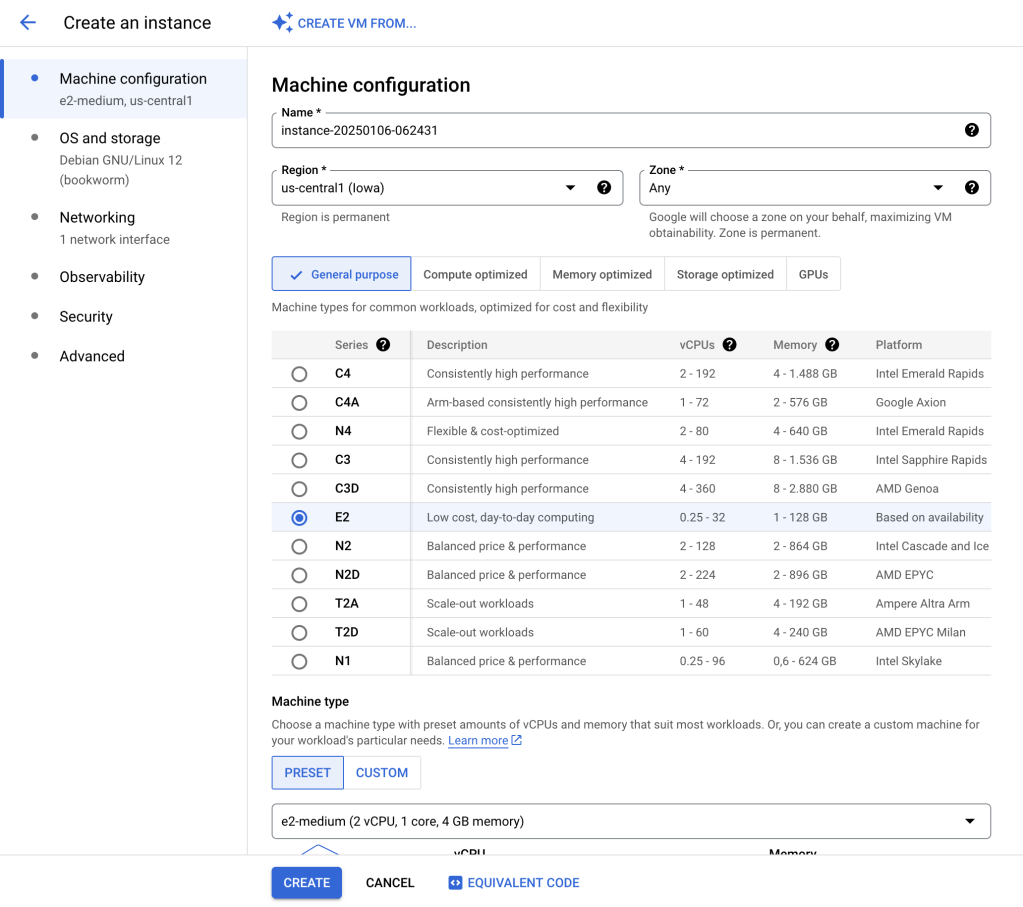
Start by creating a standalone VM:
- Navigate to the VM Instances section.
- Configure the machine with the desired specs.
- Once the VM is up and running, SSH into it. A button will be visible next to the running VM to log in directly from the browser.
- Customize the instance as needed: install software, tweak settings, and add your secret sauce.
Create a Template from the VM
Once you’re happy with your setup, save the VM as a template:
- Stop the VM to ensure everything is clean.
- Use the GCP Console or CLI to create an instance template from this VM:
gcloud compute instance-templates create my-template-$(date +%Y%m%d) \ --source-instance=instance-name \ --source-instance-zone=us-central1-a- Adding a date suffix to the template name ensures you can maintain version history. Future you will thank you for this.
Create an Instance Group
The process here is identical to the first option: link the instance group to your template, configure the scaling policy, and deploy. No need to rehash the details (DRY principle, folks).
Conclusion
Whether you prefer the template-first approach or the more customizable hands-on method, creating a GCP instance group is straightforward and powerful. The real magic happens when you integrate these workflows into a CI/CD pipeline. Automating template creation and group updates ensures your infrastructure evolves as smoothly as your codebase; without manual intervention or the dreaded “It works on my machine” debugging sessions.
What about using Docker images? Well, let’s talk about this into another article (but spoiler alert, it’s based on Instance templates).
So, go ahead and create those instance groups. Your application’s uptime (and your sanity) depend on it.
 The Dev World - Sergio Lema
Leave a comment