

When working with a remote database, it’s infrequent to have it accessible through the Internet.
When accessing a database of a project, I use to go through another machine, through a bastion host.
What does this bastion host?
It’s the only machine with public access, leaving the rest of the machines of the project private and protected.
So, to connect to the database, I need first to create an SSH tunnel to the bastion host, and then access the database.
In my case, I have a PostgreSQL Database and I will use PgAdmin4 to connect to it.
Let’s first download the adequate version at the download page.
Once, installed and opened, add a new connection to the database server.

Just pick a name to identify the server. I use the add a suffix with the environment used, like my_project_dev or my_project_prod.

Then, switch to the Connection tab. Here, I add the URL of the database server. The URL the bastion host sees. It should be the only URL the database has.
In the other fields, just add the username and password to access the database.

Finally, switch to the SSH Tunnel tab. The first field must have the IP of the bastion host. This is the IP where the SSH tunnel will be created.
Depending on how the SSH Tunnel is created, fill the username and password fields, or use a username and an Identity file.
Click on the Save button and the PgAdmin should connect to the database server.
You should see the tables of the database following the schema bellow.
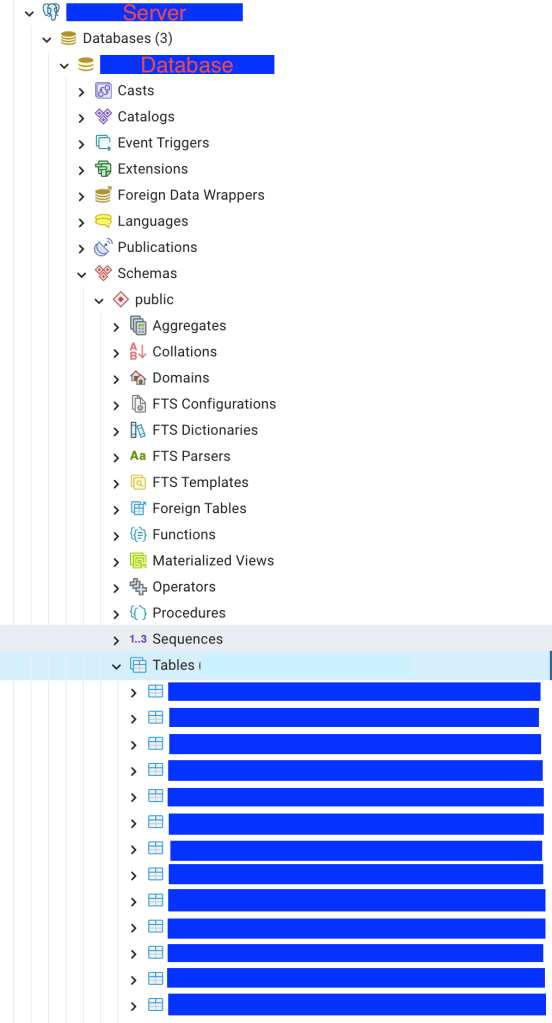
The previous image shows the tables in the public schema. If you have your tables in another schema, just navigate to it.
If you want to learn more about good quality code, make sure to follow me on Youtube.
 The Dev World - Sergio Lema
Leave a comment